From the version 1.3.0.00 of Innovacommerce, a quite useful functionality is incorporated for the shops in which there are several sellers handling only one POS. To configure sellers from the POS go to options and then to “seller management”
1. Configuration of salesmen and their commissions
When the POS is first installed, it creates a default vendor. To create new vendors, use the “New Vendor” button
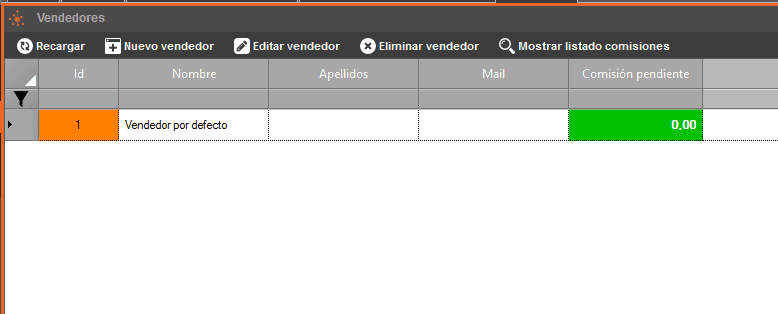

In the first tab you can enter the seller’s personal data.

In the second tab we will specify which clients will be commissioned for the seller, if we want them to commission the sales of the POS, the client “POS user” must be included in the list. You can associate new clients with the button “associate client”.
In turn, a seller can have other sellers dependent on him, for this, use the tab “associated sellers”. Vendors that depend on another higher level vendor are commissioned in the same configuration with the “parent” vendor in a pyramid structure.
2. Use of vendors at the POS
The salespersons created in the application can be selected at the POS at the time of sales, for this, use the salesperson selector at the top of the line area of the ticket.

Each seller can add lines to the sale without mixing them up, the POS will reflect the sale that each seller has when they are selected from the drop-down menu. When the sale is completed, the sales will generate the commission for the selected seller.
3. Information and settlement of commissions

From the seller management, click on “show commission list”, there you will be able to consult the paid and pending commissions of the seller, you will be able to write down as paid those that correspond and print commission lists.